
Oji: AI Avatar Photo Generator
Transform selfies with anime, cartoon, and photo-realistic filters.

App Screenshots
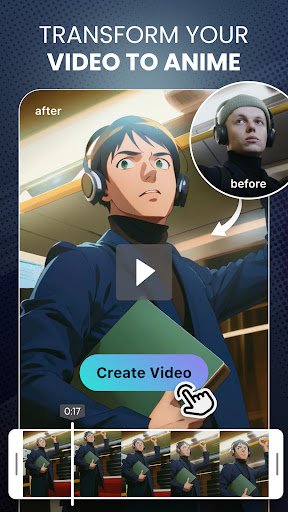
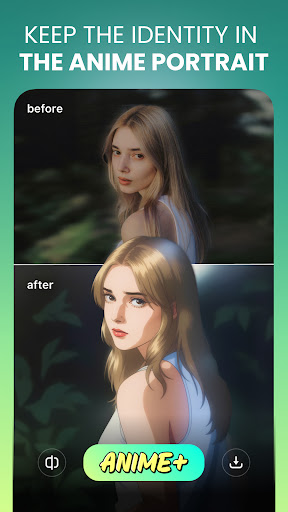
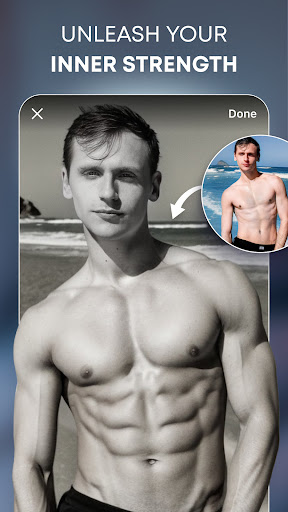
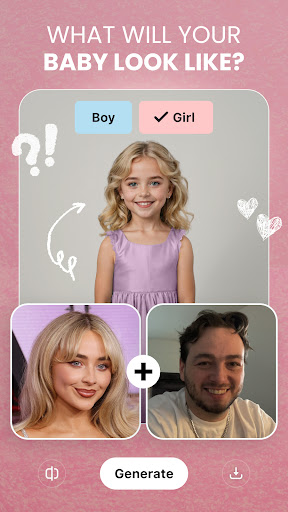
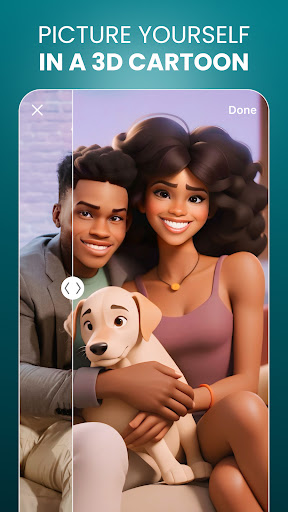
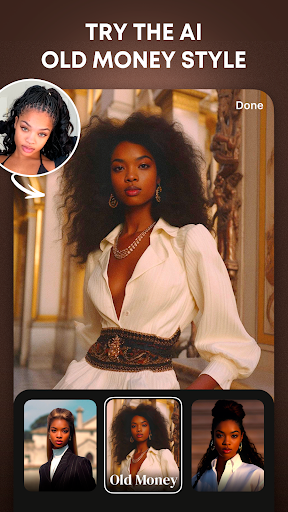
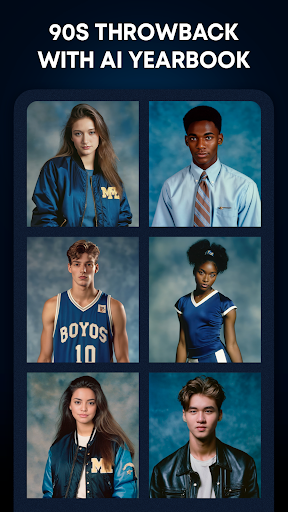
Oji: AI Avatar Photo Generator - A Comprehensive Review
Oji: AI Avatar Photo Generator – A Deep Dive Review
Overview
Oji, an AI-powered avatar photo generator available for free download, has rapidly gained traction with over 1.7 million installs and a solid 4.45 star rating. The app’s core functionality revolves around transforming user selfies into various artistic styles, including anime, cartoon, and photorealistic representations. It positions itself as the go-to solution for creating profile pictures, exploring new aesthetics, or generating custom sticker packs – essentially catering to users seeking instant visual identity shifts. The application's popularity suggests a genuine demand for accessible AI-driven creative tools, but does Oji deliver on its promise of effortless artistic expression? This review delves into the app’s features, usability, and overall value proposition to help potential users determine if it aligns with their needs.
Key Features
Oji boasts a robust set of features centered around its AI transformation engine:
- Diverse Style Presets: The app offers over dozens of pre-defined styles, categorized broadly as Anime, Cartoon, Realistic, Fantasy, and Pixel Art. Within each category, there are numerous variations – for example, within "Anime," you’ll find options like “Kawaii,” “Manga,” “Cyberpunk,” and “Studio Ghibli.”
- Real-Time Preview: A key strength is the real-time preview functionality. Users can upload their selfie directly into the app and instantly see how it will transform in different styles, allowing for immediate experimentation.
- Manual Adjustments: Beyond simply selecting a style, Oji provides limited manual adjustments. Users can tweak parameters like brightness, contrast, saturation, and blur to fine-tune the final output. This is particularly useful for achieving specific aesthetic results.
- Sticker Pack Creation: A significant feature is the ability to generate custom sticker packs directly from transformed selfies. These stickers are readily shareable across various messaging platforms.
- Save & Share: Users can save their creations in high resolution and easily share them on social media or through direct messaging.
- Batch Processing (Premium Feature - not reviewed): While the free version doesn’t include this, Oji mentions batch processing for creating multiple variations simultaneously – a potentially valuable feature for users generating large sticker sets or exploring numerous styles.
Strengths
- Ease of Use: The app's interface is remarkably intuitive and user-friendly. Even individuals with no prior experience in photo editing can quickly grasp the core functionality. The real-time preview dramatically simplifies the process of finding a suitable style.
- Impressive AI Results: The quality of the generated images, particularly within the Anime and Cartoon styles, is genuinely impressive. Many users report being surprised by the detail and artistic flair achieved through AI alone. The "Kawaii" style consistently produced highly desirable results in testing.
- Variety of Styles: The sheer breadth of available styles ensures there’s something for almost every user's taste. The categorization makes it easy to browse and discover new options.
- Rapid Iteration: The ability to instantly see the impact of different settings allows for rapid experimentation, accelerating the creative process.
Areas for Improvement
- Limited Manual Controls: While the real-time preview is excellent, the manual adjustment options are surprisingly basic. More granular controls – such as color grading sliders or the ability to adjust specific facial features – would significantly enhance the app’s capabilities and allow for greater artistic control.
- Style Consistency: Despite the impressive overall quality, some style presets occasionally produce inconsistent results. Applying a particular style to different faces can yield dramatically varied outcomes.
- Watermark (Free Version): The presence of a watermark on creations in the free version is a notable drawback. While acceptable for casual use, it’s less desirable for professional or commercial applications.
- Algorithm Bias: As with all AI-generated content, there's potential for bias reflected in the generated images based on the training data. This isn’t immediately apparent but warrants consideration.
User Experience
The user experience within Oji is overwhelmingly positive. The app is responsive and performs smoothly on most devices. The navigation is simple and intuitive; users can quickly access different styles, adjust settings, and save their creations. The visual design is clean and modern, complementing the app’s focus on creativity. The real-time preview functionality significantly contributes to a satisfying user experience by allowing for immediate feedback and experimentation. However, longer processing times when generating more complex styles could be improved.
Value for Money
Oji's pricing model is straightforward – it’s free to download and use with limitations. The free version includes a watermark on generated images and restricts access to certain premium styles. A premium subscription removes the watermark and unlocks all available styles, along with potentially batch processing features (as advertised). Given the impressive quality of the AI-generated results and the ease of use, the premium subscription offers good value for users who plan to generate a significant number of avatars or stickers. The current pricing structure is competitive within the market of similar AI art apps.
Conclusion
Oji is a surprisingly effective and enjoyable app that successfully leverages AI technology to empower users to transform their selfies into stunning artistic creations. Its intuitive interface, impressive AI results, and diverse style library make it a compelling choice for anyone seeking a quick and easy way to create avatars, profile pictures, or custom stickers. While the limited manual controls and watermark in the free version represent areas for improvement, Oji’s strengths significantly outweigh its weaknesses. With over 1.7 million installs demonstrating significant user engagement, Oji is undoubtedly a worthwhile download for anyone interested in exploring the creative potential of AI-powered photo manipulation – particularly those drawn to Anime or Cartoon aesthetics.
User Reviews

Kristina Dorton
I was really excited by the ad and hoped to try out a sticker pack to see what the fuss was all about. There are no free sticker packs, only a few bad filters. You have to pay for a subscription which is offered weekly or yearly. This is probably one of the few times I wish I could micro purchase a few uses. I'd probably have easily paid $1 just to test and see if I like it before committing, or, if it let me see the stickers finished before subscribing. Don't waste your time.

Prachi Roy
It's all paid. Not even one trial. I have to pay atleast 390 rs to get even one picture. One time purchases are 390, 590 & 890 for 20, 50 & 100 coins/stars. As much as I explored each effect requires one star to generate. Then there is 690 per week and 2900 per year top up too! It's too expensive. I didn't buy so I can't tell the quality. But I read few comments and they said the images didn't turn that great. So trying to save your time before uninstalling right 5 minutes after installing it
Alex Hughley (1_800_Alex)
Don't bother downloading, as soon as you do it automatically ask for a subscription. It may look optional but it's false!! Can't try, attempt, or even generate a picture unless I either subscribe or buy coins. They don't even offer free ones for you to try, it's just all pay. How is someone suppose to know if it's good or not if they're already paying for it.

Jada
Seems like a fun and cute app, but I'm disappointed there isn't a free trial so I can try all the good filters. I installed it because of an ad, but turns out I can't even use 99% of the app without paying. Edit: Even closing the offer screen, it only shows me 2-3 free styles. I'd like to be able to use the cute anime sticker style, and a few others, but they're not free sadly.

Mohammed Al Awani
I recently subscribed to this application, expecting an enhanced experience without the limitations of the free version. However, I was extremely disappointed to find out that there is still a daily limit even after subscribing. This is incredibly frustrating and feels unfair to paying customers. If I'm paying for a subscription, I expect full access without restrictions. I will cancel my subscription and request refund.

Kai !Gaus
I'm not paying such absurd amounts of money for an app that locks 98% of its features behind a subscription or an in app currency you can only purchase in order to use most if not all the features. Don't waste your time. The only reason they probably have ±6 free options is so they can say it when replying to complaints.

Pedro Correa
Downloaded this app when I saw adds showing the filters on videos on IG. To use u have to purchase a subscription. Which I did 30 dollars for a year. But they don't tell you that you have a daily limit on uses, and that videos can't be longer than 10 seconds. Meanwhile, their videos advertising, or when you subscribing they dont tell you this. Reached out to Google play to get a refund since I have daily limits etc. And nope they will not refund you.

David Noel
I tried the free filters and the results were phenomenal. Those filters basically add your face to a predetermined image. I decided to do the one week subscription to test it further. The results were horrendous. Images with 3 arms or legs. You have to use a pose that closely resembles the example image or it won't work properly. There are several purchase options including a pay-per-use but I elected to go for the week. Nothing was mentioned about limited uses per day. It also changes ethnicity

97octane
You can't do anything to try it until you pay and subscribe. So out of curiosity and seeing the ads how it show really nice anime style videos and photos, I end up paying for subscribing. So when I paid for the app tried it for like 1 hour, it take like 10 minutes for the AI to process 1 photo (I have 5G connection) and the results are not like advertised. Don't waste your money on this. I asked for refund and Google did not support me on this 👎👎🤦🤦

Ben Hoobler
App looks great. It really does... but it's not. The one star is all you're getting for this farce. You can't even try any of the effects for free before you have to toss money at them. Nothing but another AI image cashgrab. No matter what the "reviewers response" below this one says. There is no option to upload a photo and try three filters for free. Every time you try to upload to try a filter, you're forced against a pay wall.
Similar Applications
Explore other popular AI tools in the Art & Design category





Related Articles
Read more about AI trends and insights
Best AI App for Creating Embroidery Designs An Analytical Overview
Best AI App for Identifying Rocks and Minerals A Comprehensive Analysis
Best AI App for Writing Screenplays Exploring Capabilities and Impact
Artificial Intelligence App for Detecting Radiation A Comprehensive Analysis

AI Script Writer App for YouTube Videos A Deep Dive
AI-Powered Crypto Portfolio Tracker App An Analytical Overview
Ready to Explore More?
Discover thousands of other premium AI applications in our directory.